
Many travelers encounter issues when completing the eTravel Philippines form, ranging from registration errors to missing QR codes. Problems such as eTravel Philippines not working, inability to register, or not receiving a QR code are more common than expected—especially during peak travel periods.
Fill out your eTravel Philippines form online in just a few minutes and help avoid delays during arrival or departure procedures.
These issues can quickly become stressful, particularly if they happen shortly before departure. Fortunately, most problems have simple explanations and can be resolved easily if you know what to check. In this guide, you’ll discover the most common eTravel Philippines errors, why they occur, and how to fix them step by step—so you can complete your form smoothly and travel with peace of mind.
⚙️ Why is eTravel Philippines not working?
📝 There are several reasons why the eTravel Philippines form may not be working, including technical issues, incorrect information, or timing-related problems.
🔧 Common technical issues on the eTravel platform
One of the most frequent complaints from travelers is that the eTravel Philippines website is not working properly. This can manifest in several ways:
- The page takes too long to load
- The platform freezes during submission
- You are redirected to an error page
- The system logs you out unexpectedly
These issues are often linked to high traffic on the platform, especially during peak travel seasons or holidays. When thousands of users try to access the system at the same time, temporary slowdowns or glitches can occur.
👉 Common causes:
- Server overload (etravel philippines down)
- Browser incompatibility
- Poor internet connection
- Temporary system maintenance
👉 Solutions:
- Try accessing the platform during off-peak hours
- Use a different browser (Chrome or Safari recommended)
- Clear your cache and cookies
- Switch from mobile to desktop (or vice versa)
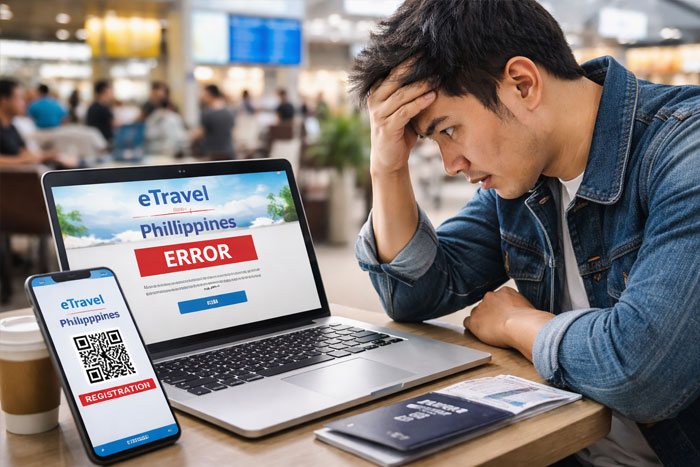
❌ Errors caused by incorrect information
Another major reason for eTravel Philippines error messages is incorrect or inconsistent data entered in the form.
Even small mistakes can prevent submission:
- Typo in passport number
- Incorrect flight number
- Mismatch between passport name and booking
- Wrong travel dates
The system is strict and validates your information in real time. If something doesn’t match official formats, you may see an etravel philippines invalid information error.
👉 Best practices:
- Copy information exactly as shown on your passport
- Double-check all fields before submitting
- Avoid autofill if it inserts incorrect data
👉 Follow our step-by-step guide to fill eTravel Philippines correctly and avoid errors
Fill out your eTravel Philippines form online in just a few minutes and help avoid delays during arrival or departure procedures.
🧾 eTravel Philippines registration problems
📝 Some travelers cannot complete their registration or face issues when creating their eTravel account.
🚫 Unable to register on eTravel Philippines
If you cannot register on eTravel Philippines, the issue is usually related to incomplete fields or validation errors.
Common problems include:
- Missing mandatory fields
- Incorrect email format
- Weak or invalid password
- Session timeout during registration
👉 What to do:
- Fill in all required fields carefully
- Use a valid email address
- Create a strong password with numbers and symbols
- Complete registration in one session without leaving the page
🔐 eTravel Philippines login issues
Some users report that their eTravel Philippines login is not working after registration.
This can happen if:
- The account was not properly created
- The password is incorrect
- The system did not save your data
👉 Solutions:
- Reset your password using the “forgot password” option
- Check your email for confirmation messages
- Try logging in from another device
💡 Tip: Always save your login details after registration to avoid repeated issues.
📱 No QR code after submitting eTravel Philippines
📝 One of the most common issues is not receiving the QR code after completing the form.
📭 Why you did not receive your eTravel QR code
After submitting your form, you should receive a QR code immediately or shortly after. If you don’t, it may indicate a problem.
👉 Possible reasons:
- The form was not fully submitted
- A technical error occurred during validation
- You exited the page too early
- Email delivery delay
This leads to the common issue: no QR code eTravel Philippines.
🛠️ How to fix missing QR code issues
If your eTravel Philippines QR code was not received, don’t panic. There are several ways to fix it:
👉 Steps to follow:
- Log back into your account and check submission status
- Look for your QR code in the dashboard
- Check spam or junk email folders
- Resubmit the form if necessary
💡 In most cases, the QR code is generated instantly but may not be emailed.
👉 Check when to fill eTravel Philippines to avoid timing-related issues
📞 Who to contact if eTravel Philippines is not working
📝 If your issue cannot be resolved, you may need to seek assistance from official sources.
🏢 Official support and help options
If you’re still facing issues, you can look for eTravel Philippines contact and help options.
👉 Possible support channels:
- Official eTravel website help section
- Airline assistance before departure
- Immigration support upon arrival
Although direct support is sometimes limited, most problems can still be resolved through verification at the airport.
✈️ What to do at the airport if you have a problem
If your eTravel Philippines form is not working at the last minute, airport staff can often assist.
👉 What may happen:
- You may be asked to complete the form on-site
- Staff can verify your information manually
- You may still be allowed to board (case-dependent)
💡 However, relying on last-minute solutions is risky and can cause delays.
👉 Check who needs to complete eTravel Philippines before your trip
🛡️ How to avoid eTravel Philippines problems
📝 Most issues can be avoided by following best practices when completing the form.
✔️ Double-check your information before submitting
Accuracy is the key to avoiding errors.
👉 Always verify:
- Passport details
- Travel dates
- Flight information
- Personal data
A simple mistake can trigger an etravel philippines error and delay your submission.
Fill out your eTravel Philippines form online in just a few minutes and help avoid delays during arrival or departure procedures.
⏰ Submit your form at the right time
Timing plays a crucial role.
Submitting too early or too late can lead to issues such as:
- Invalid QR code
- System rejection
- Last-minute stress
👉 Find the best time to submit your eTravel Philippines form
🧭 Follow the correct process step by step
Completing each step properly ensures your form is accepted without issues.
👉 Recommended approach:
- Prepare all documents in advance
- Complete the form in one session
- Review everything before final submission
- Save or screenshot your QR code
👉 See how to fill eTravel Philippines step by step
📱 Why is eTravel Philippines not working?
The eTravel Philippines form may not be working due to high traffic, technical issues, or incorrect information entered in the form. Errors such as slow loading, submission failure, or invalid data messages are common, especially during peak travel periods. Checking your internet connection, using a different browser, and verifying your personal details can usually fix the problem.
🧾 Why did I not receive my eTravel Philippines QR code?
If you did not receive your eTravel Philippines QR code, it is often because the form was not fully submitted or a temporary system error occurred. In most cases, the QR code is available directly in your account even if you did not receive an email. Logging back into your profile and checking your submission status usually resolves this issue.
✈️ Can I travel if eTravel Philippines is not working?
If your eTravel Philippines form is not working before departure, you may still be able to complete it at the airport or receive assistance from staff. However, this can cause delays or stress during boarding or arrival. It is strongly recommended to resolve any issues in advance to ensure a smooth travel experience.